
An introduction to HRMS document management
HR systems and document management naturally sit side by side. Many HR processes rely on supporting documents, whether that’s a government ID for a name change or a business case for an off-cycle pay increase.
If you already use an HRMS with integrated document management, the next step is to make sure your document setup works properly inside the system. If you have a standalone document management system, the natural extension is to integrate it with your HRMS.
Humble beginnings
Early document management systems were little more than electronic file cabinets. They made it easier to store and retrieve paperwork without needing a physical file.
That basic function still matters, but modern HR document software does much more. Today, many HRMS platforms include employee document management as part of the core product, with structured storage, search filters, audit trails, and access controls built in. Systems like Breathe HR, Paylocity and Cezanne, for example, store contracts and other HR files in one secure, accessible location.
Recommended reading: Find an HRMS able to handle document management
Many transactions still happen entirely within the HRMS, with no supporting documents required. For example, an employee might request training and receive approval without uploading anything.
But in other cases, documents are essential. An employee may need to upload a qualification certificate, right-to-work documentation, or proof of completed training.
These are strong cases for digital employee files rather than paper files, especially when you need to refer back to them later.
Integration and security
In some HRMS software, document management is built in. In others, the HRMS connects to a separate DMS, so documents uploaded during a transaction are automatically tagged, stored, and linked to the employee record.
Some systems offer a lighter connection, where files are held separately but remain accessible from the HRMS.
Integrated employee file management usually saves time because HR teams do not need to move documents between systems. It also helps keep records consistent, especially during onboarding, policy updates, and other repeat processes.
Security needs careful attention either way. HR teams handle sensitive information, so access controls must be clearly defined and regularly reviewed. Decide who can view, upload, or edit employee documents, how access is logged and audited, and how documents are categorised to support both security and searchability.
Final thoughts
A well-structured human resources document management approach protects data and makes everyday work faster. When documents are consistently named, tagged, and stored, teams spend less time searching and more time acting.

Free white paper

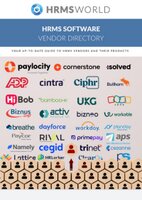
HRMS Software Vendor Directory
Put the most up-to-date HRMS vendor directory on your desk today! Nearly 100 vendors listed.
Featured white papers
Related articles
-

What I wish I knew before my first HRMS implementation
Experienced HR manager Dave Foxall discusses lessons learned during his first HRMS implementation...
-
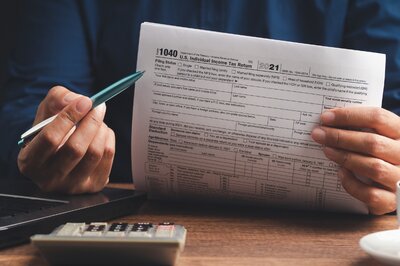
A five step guide to assessing your payroll processes
How to review your payroll processes effectively before implementing new software
-

Three gamification ideas to increase HRMS user engagement
HRMS gamification is a good way to engage users with new software - use these ideas to get going